Cards
Cards turn one focused photo story into a greeting, announcement, invitation, or keepsake. Choose flat or folded, portrait or landscape, then personalize every available surface.
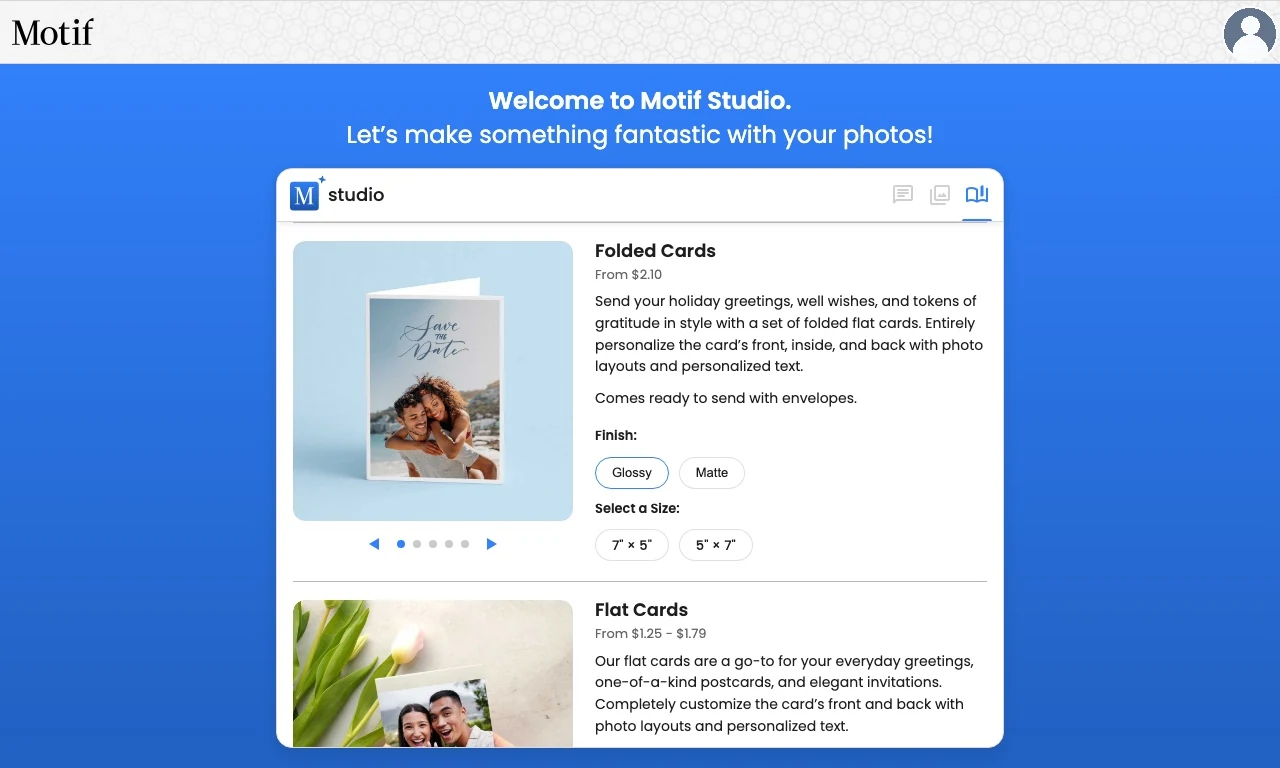
Choose a card format
Flat cards
Flat cards have a front and back. Choose:
- 6 × 4 in landscape or 4 × 6 in portrait;
- 7 × 5 in landscape or 5 × 7 in portrait.
Use a flat card when the design works as a photo-forward front with details, a message, or a complementary design on the back.
Folded cards
Folded cards have a front, back, inside top, and inside bottom. Choose 7 × 5 in landscape or 5 × 7 in portrait.
Use a folded card when you want an opening cover plus room for a longer inside message or additional photos.
Choose an occasion
Motif Studio asks what kind of card you are making before photos are added. Current choices include:
- Blank / Photo Only
- Thank You
- Baby Announcement
- Birthday
- Save the Date
The occasion guides the initial wording, tone, colors, and layout. You can rewrite the text and change the design afterward. In an existing card, open Products to choose a different occasion; on a phone, choose Options › Change occasion from All Pages.
Content that cannot fit a newly chosen occasion may be removed; when this happens, Motif Studio shows an informational message, and Undo restores the previous card and occasion.
Choose finish and quantity
Choose Glossy for a more reflective photo finish or Matte for a softer, lower-shine surface. You can order from one card through larger preset quantities; the available choices and price appear with the product.
The product picker keeps the finish with your card choice. Check that Glossy or Matte is selected before you choose the format you want.
Add photos and direction
Cards can begin without a photo after you choose Skip for Now. Motif Studio uses temporary placeholders so you can establish the wording and design first. Cards can use one image or many: one image fills the front, and adding a few more gives Motif Studio options for the back or inside surfaces.
Include exact names, dates, and wording in your direction. For example:
Create a folded landscape save-the-date card. Use the beach portrait on the front, “Maya & Jordan” above “June 6, 2027,” and put the travel details inside in a simple navy design.
Always proofread the names, dates, addresses, and event details you provide in the finished design.
Edit a card
In the editor, you can:
- change the occasion;
- replace, move, crop, rotate, and filter photos;
- choose layouts for each surface;
- add or edit text and adjust its style;
- change backgrounds, patterns, and themes;
- adjust finish and quantity where offered;
- ask Chat for a focused card change;
- use Undo and Redo for recent edits.
Cards have fixed surfaces, so they do not use photo-book page rearranging or spread controls.
Before ordering
Review each surface in order. Check the fold direction, text alignment, photo crops, finish, quantity, spelling, event details, and any mailing information. Then follow Review before ordering.